

Task management apps are a dime a dozen. Most are either overkill — packed with Gantt charts, team dashboards, and subscription walls — or completely forgettable. Neo To-Do is neither. It’s a focused, polished React app that does exactly what it promises: help you track tasks without getting in your way.
This post digs into both sides of the coin — what it feels like to actually use Neo To-Do, and what’s going on under the hood that makes it tick.
The App at a Glance
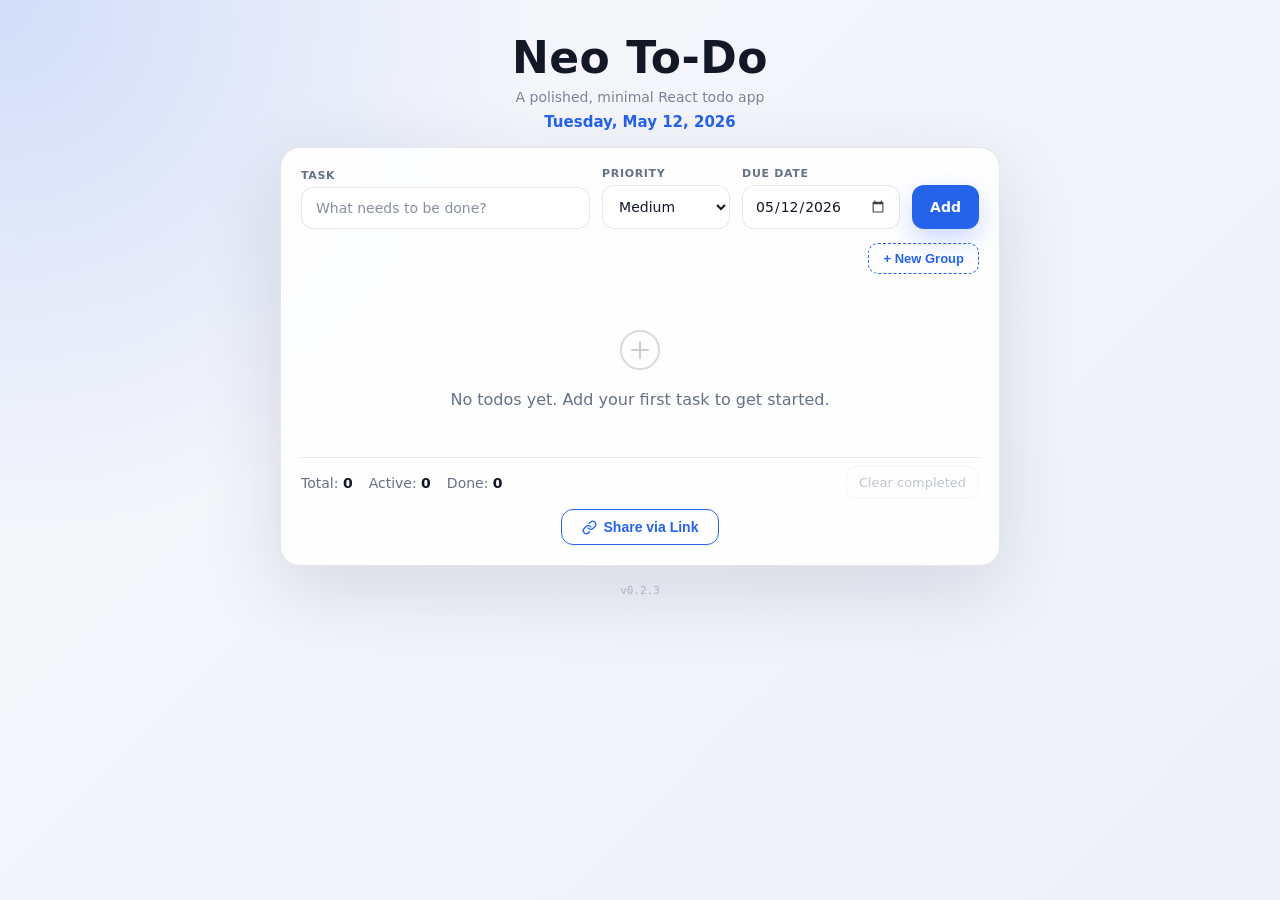
Neo To-Do lives at neo-todo-peach.vercel.app. Open it and you get a clean card with a single input field. No onboarding wizard. No sign-up form. Just: What needs to be done?
Functional Highlights — What You Get as a User
Add Tasks Instantly
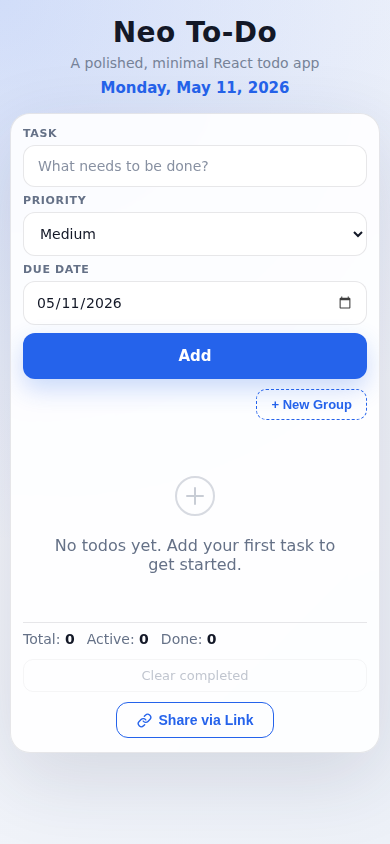
Type a task, hit Enter or click Add — done. No mode switching, no save button, no confirmation dialog. Tasks appear immediately in the list. You can also set a priority (Low / Medium / High) and a due date right from the input row on mobile, so context travels with the task from the start.
Groups That Actually Make Sense
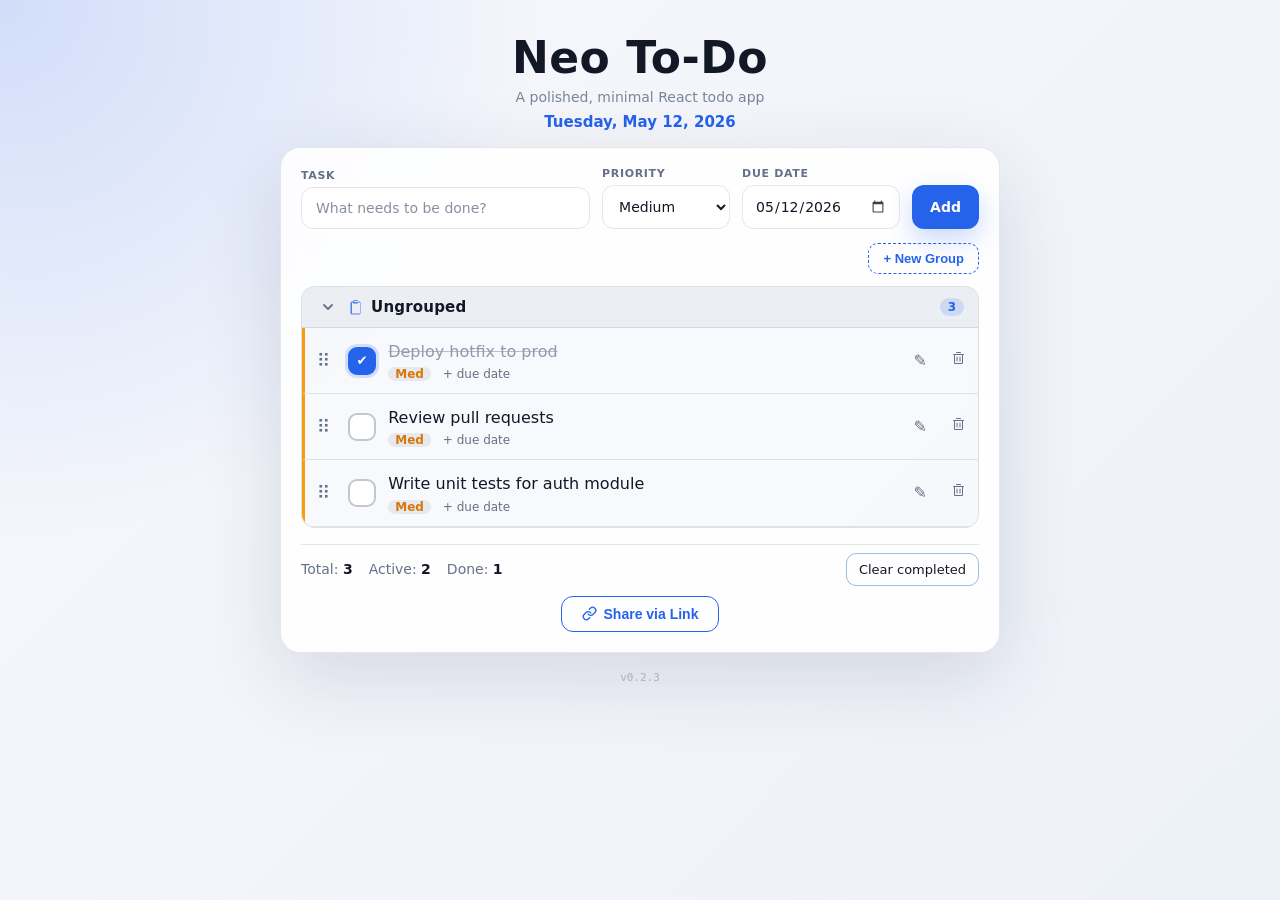
Most to-do apps either ignore grouping entirely or turn it into a project management exercise. Neo To-Do hits a sweet spot: create a group with + New Group, name it, and tasks snap into collapsible sections. Rename a group inline, delete it and orphaned tasks slide back to Ungrouped automatically. No data loss, no drama.
Drag-and-Drop — Yes, Even on Mobile
Reorder tasks within a group or drag them across groups with a smooth ghost preview. This works with mouse, touch, and keyboard — built on @dnd-kit, which handles pointer events properly instead of the janky HTML5 drag API that breaks on iOS.
Undo When You Fat-Finger a Delete
Delete a task — or bulk-clear completed ones — and an undo option surfaces immediately. It’s a small thing, but it removes the hesitation that usually comes with destructive actions. You stop second-guessing your own list.
Share Your List via Link
Hit Share via Link and the app compresses your entire task state into a URL. On mobile it triggers the native Web Share sheet; on desktop it copies to clipboard or shows you the link to copy manually. No account needed — the whole state travels in the URL hash, client-side only.
Responsive — and a Real PWA
Neo To-Do adapts fluidly from a wide desktop screen to a 390px mobile viewport. Install it from your browser (Chrome, Safari, Edge) and it behaves like a native app — offline-capable, no browser chrome.
Under the Hood — The Technical Story
Neo To-Do is a React 19 single-page app bundled by Vite 8. No UI component library — every element is hand-rolled with CSS custom properties, which is why the theming is tight and the bundle stays lean.
State & Persistence
All task and group state lives in App.jsx, which also drives persistence. The storage.js utility wraps localStorage with safe read/write helpers — no silent failures when storage is full or blocked. State is written under two keys:
neo_todo.todos   // serialized task array
neo_todo.groups  // serialized group array
The todoState.js module handles state validation and normalization — so stale data from an old share link doesn’t corrupt your current list.
Drag-and-Drop Architecture
Drag-and-drop is powered by @dnd-kit — specifically @dnd-kit/core and @dnd-kit/sortable. Each task is a SortableTodoItem component wrapping a draggable handle. Each group section (GroupSection.jsx) is a droppable container. When a drag ends, the app resolves the target group by container ID and splices the task into the right position — all immutably via state updates, no direct DOM mutation.
Share Link — lz-string + TinyURL Proxy
The share mechanism is clever. shareUrl.js serializes the current state to JSON, compresses it with lz-string, and stuffs the result into the URL hash. Because it’s a hash, the compressed payload never hits a server. A Vercel serverless function (api/shorten.js) then shortens the URL via TinyURL — but it only accepts app share URLs, so it can’t be abused as a public open-shortener proxy.
// Simplified flow
const compressed = LZString.compressToEncodedURIComponent(JSON.stringify(state));
const shareUrl = `${baseUrl}#${compressed}`;
// → POST /api/shorten → TinyURL short link
PWA & Offline Support
The app ships with vite-plugin-pwa, which generates a service worker at build time. The service worker precaches the app shell, so the full UI loads offline. Because the data layer is localStorage-backed, your tasks are available even without a network connection.
CI & Deployment
Every push to main triggers a GitHub Actions pipeline: test → lint → build. Tests cover date formatting, share URL encoding/decoding, the shortener API validation, and state normalization — using Node’s built-in test runner (no Jest, no Vitest, no extra dependencies). Vercel auto-deploys the static build alongside the serverless shortener function.
Tech Stack — Quick Reference
| Layer | Choice | Why |
|---|---|---|
| UI Framework | React 19 | Concurrent rendering, hooks-first |
| Bundler | Vite 8 | Fast HMR, lean production builds |
| Drag-and-Drop | @dnd-kit | Touch-safe, accessible, no HTML5 DnD hacks |
| Compression | lz-string | Tiny payloads for share URLs |
| PWA | vite-plugin-pwa | Service worker generation at build time |
| Hosting | Vercel | Edge CDN + serverless functions in one deploy |
| CI | GitHub Actions | Free, fast, tight GitHub integration |
| Testing | Node built-in runner | Zero extra deps |
Final Thoughts
Neo To-Do is a case study in restraint. The feature set is deliberately narrow — no collaboration, no cloud sync, no AI-generated subtasks — but every feature that is there is polished. The drag-and-drop works. The share link works. The offline mode works. The undo works. That’s rarer than it should be.
If you want a to-do app that gets out of your way, give Neo To-Do a try. And if you want to dig into the source, it’s clean React — the kind of codebase that’s actually enjoyable to read.