

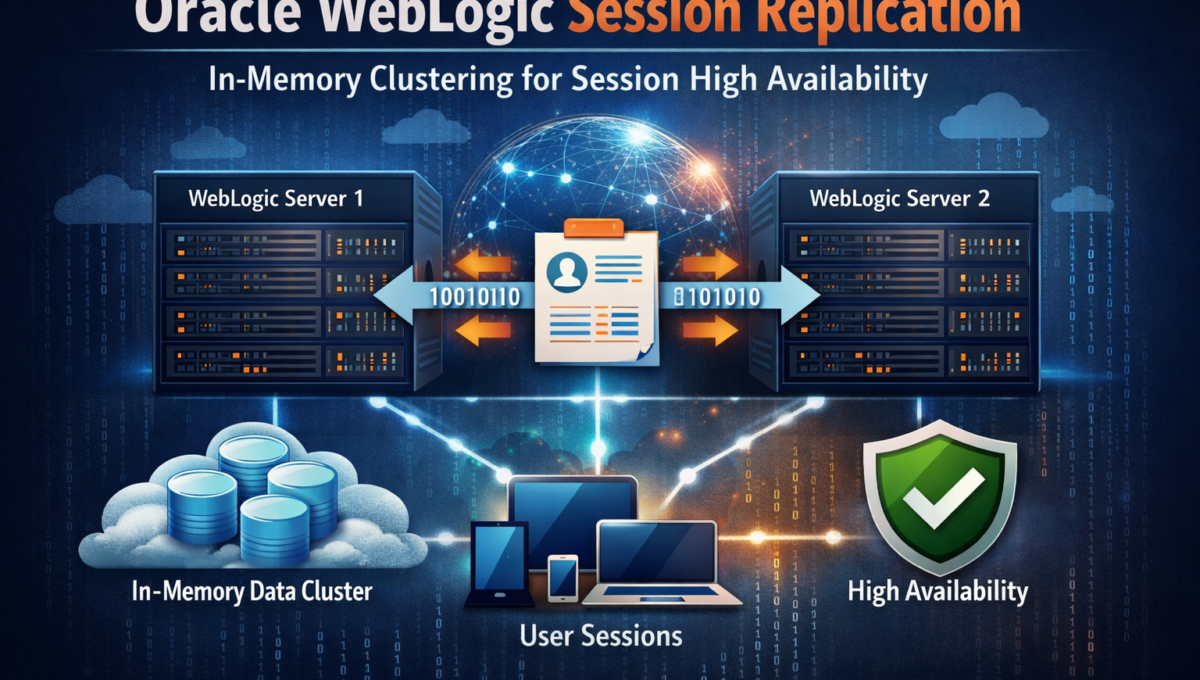
WebLogic’s built-in in-memory session replication gives you automatic failover with zero session loss — but it works best when paired with sticky sessions, not as a replacement for them.
The previous two posts in this series covered Nginx Plus sticky sessions and Redis-based session externalisation. Both solve the session affinity problem at different layers. This post covers a third approach — one that lives entirely within the WebLogic cluster itself.
WebLogic’s in-memory session replication copies session state from a primary Managed Server to a secondary Managed Server in real time. If the primary server fails, the secondary takes over immediately — full session intact. No Redis cluster. No user interruption.
But here’s the nuance most articles miss: session replication is a failover mechanism, not a routing strategy. Oracle’s own documentation and the JSESSIONID cookie format are designed around the assumption that a proxy or load balancer will route requests back to the primary server. Replication exists so that when the primary does go down, the session survives. The recommended architecture is sticky sessions for performance plus in-memory replication for resilience.
Done correctly, it is one of the most elegant session HA solutions available on the Java EE stack.
How WebLogic Session Replication Works
WebLogic uses a primary/secondary replication model. When a session is created on a Managed Server, WebLogic designates:
- A primary server — where the session is actively used and stored in JVM heap
- A secondary server — a different Managed Server in the cluster that holds a replicated backup copy
Every time a session is modified and the request completes, WebLogic replicates the delta to the secondary server. The secondary holds a shadow copy in its own heap — ready to take over instantly if the primary fails.
Client Request
      │
      ▼
[Load Balancer — sticky routing via JSESSIONID]
      │
      ▼
[ManagedServer1 — Primary for this session]
  Session: { userId: 42, cart: [...] }  ← Active
      │
      │ Replication (end of request)
      ▼
[ManagedServer2 — Secondary for this session]
  Session: { userId: 42, cart: [...] }  ← Shadow copy
When ManagedServer1 goes down, the next request arrives at another server. That server inspects the JSESSIONID cookie, identifies the secondary, retrieves the replicated session, promotes itself to primary, and selects a new secondary. The user never knew anything happened.
The JSESSIONID Cookie: WebLogic’s Routing Intelligence
This is the mechanism that ties everything together. When WebLogic creates a session in a clustered environment, the JSESSIONID cookie is not just a session identifier — it encodes routing information:
JSESSIONID=<session_id>!<primary_jvm_hash>!<secondary_jvm_hash>
For example:
JSESSIONID=5Hxbl9pQC1Kn7Xp4vJnT2LzG!1949418886!1204985498
5Hxbl9pQC1Kn7Xp4vJnT2LzG— the actual session identifier1949418886— hash of the primary server’s JVM ID1204985498— hash of the secondary server’s JVM ID
WebLogic’s own proxy plug-ins (and smart load balancers like F5) parse these hashes to route requests directly to the primary server. If the primary is unavailable, they fall back to the secondary. This is why Oracle recommends using the WebLogic proxy plug-in or a session-aware load balancer — they understand this cookie format natively.
When a request reaches a server that is neither the primary nor the secondary for that session, the server must perform a cluster-wide lookup to locate the session. This works, but it adds latency and network overhead on every request. This is why sticky sessions are still recommended — they avoid this lookup cost for the normal case, while replication handles the failure case.
Session Replication Modes in WebLogic
WebLogic supports several persistence store types. Choose based on your consistency vs performance requirements:
| Mode | Description | Use Case |
|---|---|---|
memory | No replication (default) | Single server or stateless apps |
replicated | Synchronous in-memory replication to secondary | Production clusters, strong consistency |
replicated_if_clustered | Replication when clustered, memory-only when standalone | Dev/prod parity without config change |
async-replicated | Asynchronous replication — faster writes, small inconsistency window | High-throughput, tolerable brief inconsistency |
async-replicated-if-clustered | Async version of the above | Same as above with dev/prod parity |
jdbc | Persisted to a shared database via JDBC data source | Cross-datacenter HA, long-lived sessions, Coherence*Web alternative |
cookie | Session state serialised into a client-side cookie (WLCOOKIE) | Small session data (<4KB), string values only |
file | Persisted to a file system | Dev/test, or single-server with restart persistence |
Choosing the right mode:
For most production WebLogic clusters, replicated_if_clustered is the recommended default. It gives you full synchronous replication in production and falls back gracefully to in-memory-only mode in standalone/development environments — no config change needed.
Use replicated (without the _if_clustered suffix) if you want deployment to fail on a non-clustered server. This makes misconfiguration visible early rather than silently falling back to non-replicated behaviour.
Use async-replicated or async-replicated-if-clustered for high-throughput workloads where you can tolerate losing the last request’s session changes if the primary fails between the async replication flush and the actual failure. Introduced in WebLogic 10.3, async mode supports batched replication via flush intervals.
What about Coherence*Web? For WebLogic 12c and later, Oracle also offers CoherenceWeb as a session management provider. CoherenceWeb uses Oracle Coherence’s distributed cache for session storage, offering near-cache performance with sticky load balancing, scalable session storage beyond JVM heap, and cross-cluster session sharing. If your environment already runs Coherence or you need to scale beyond what in-memory replication supports, Coherence*Web is worth evaluating. Configuration is done via the session-descriptor in weblogic.xml using coherence-web as the persistent store type.
Requirements: Making Your Application Cluster-Aware
This is where most WebLogic session replication implementations fail. The cluster and WebLogic configuration can be perfect — but if the application isn’t cluster-aware, sessions will not replicate correctly, and you’ll see inconsistent state or silent data loss after failover.
There are four hard requirements.
1. The <distributable/> Tag in web.xml
This is the signal to the servlet container that the application is designed for distributed deployment. Per the Servlet specification, a web application must declare <distributable/> for the container to participate in session replication. While WebLogic’s persistent-store-type in weblogic.xml is the actual switch that enables replication (and WebLogic may replicate even without <distributable/> in some configurations), omitting it violates the spec and can cause unexpected behaviour across versions.
Always include it. It costs nothing and makes the application’s clustering intent explicit.
<!-- web.xml — Java EE 8 / WLS 14.1.1 (javax namespace) -->
<web-app xmlns="http://xmlns.jcp.org/xml/ns/javaee"
         xmlns:xsi="http://www.w3.org/2001/XMLSchema-instance"
         xsi:schemaLocation="http://xmlns.jcp.org/xml/ns/javaee
         http://xmlns.jcp.org/xml/ns/javaee/web-app_4_0.xsd"
         version="4.0">
    <!-- Required for session replication -->
    <distributable/>
    <session-config>
        <session-timeout>60</session-timeout>
    </session-config>
</web-app>
Important namespace note for WLS 14.1.1: WebLogic 14.1.1 ships with Java EE 8 support and uses the javaxnamespace (http://xmlns.jcp.org/xml/ns/javaee). It does not support the Jakarta EE namespace (https://jakarta.ee/xml/ns/jakartaee). If you’re coming from a Jakarta EE 9+ environment (Servlet 5.0+), you must use the javax namespace for WLS 14.1.1 deployments. The Jakarta namespace is expected in future WebLogic releases (15.x).
Missing <distributable/> is the single most common reason WebLogic session replication “doesn’t work” in the field.
2. All Session Attributes Must Implement java.io.Serializable
For WebLogic to replicate a session to the secondary server, it must serialise every object stored in the session and transmit it over the network. Any session attribute that does not implement Serializable will either cause a replication failure silently or throw a runtime exception depending on your WebLogic version and configuration.
// WRONG — will break replication
public class UserContext {
    private Connection dbConnection; // Not serializable
    private HttpServletRequest request; // Not serializable
    private Thread workerThread; // Not serializable
}
// CORRECT — all fields serializable
public class UserContext implements Serializable {
    private static final long serialVersionUID = 1L;
    private Long userId;
    private String username;
    private List<String> roles;
    private Map<String, Object> preferences;
    // getters/setters
}
Audit every object you put in HttpSession. If it holds a database connection, a thread, a file handle, a socket, or any non-serializable reference — it cannot go in the session when replication is enabled.
Tip: Use the serialver tool (shipped with JDK) to verify serialisability of your session attribute classes during build. In CI pipelines, you can add a check that scans for classes stored in the session and verifies they implement Serializable.
3. Always Call setAttribute() Again After Mutating Session Objects
This is the subtle one that catches experienced developers. WebLogic tracks session modifications by watching setAttribute() calls. If you retrieve a mutable object from the session, modify it in place, and never call setAttribute() again, WebLogic does not know the session changed — and the replication to the secondary never happens.
// WRONG — mutation without re-setAttribute
// The secondary server never sees this change
HttpSession session = request.getSession();
List<CartItem> cart = (List<CartItem>) session.getAttribute("cart");
cart.add(newItem); // Direct mutation — invisible to WebLogic
// No setAttribute call — replication misses this update
// CORRECT — always re-setAttribute after mutation
HttpSession session = request.getSession();
List<CartItem> cart = (List<CartItem>) session.getAttribute("cart");
cart.add(newItem);
session.setAttribute("cart", cart); // Triggers replication delta
This is particularly important for collections, maps, and custom objects. The rule is simple: if you changed it, set it back.
4. No Server-Affine Resources in Session
Sessions replicated to a secondary server will be picked up by that server on failover. If your session holds any resource that is tied to the original server — an open JMS session, a stateful EJB reference specific to a JVM, a cached local file path, a JDBC connection — those resources will be unavailable or invalid on the secondary. Design sessions to hold data only, not server-specific resource handles.
The Configuration: XML Files
weblogic.xml — Session Descriptor
This is the primary configuration file for session replication behaviour. It lives in WEB-INF/weblogic.xml of your WAR.
WebLogic supports two syntax styles. The modern element-based syntax (recommended for WebLogic 12c+):
<?xml version="1.0" encoding="UTF-8"?>
<weblogic-web-app
    xmlns="http://xmlns.oracle.com/weblogic/weblogic-web-app"
    xmlns:xsi="http://www.w3.org/2001/XMLSchema-instance"
    xsi:schemaLocation="http://xmlns.oracle.com/weblogic/weblogic-web-app
    http://xmlns.oracle.com/weblogic/weblogic-web-app/1.9/weblogic-web-app.xsd">
    <session-descriptor>
        <!-- Use in-memory replication when deployed to a cluster -->
        <persistent-store-type>replicated_if_clustered</persistent-store-type>
        <!-- Session timeout in seconds (60 minutes) -->
        <timeout-secs>3600</timeout-secs>
        <!-- How often WebLogic checks for and invalidates expired sessions -->
        <invalidation-interval-secs>60</invalidation-interval-secs>
        <!-- Session cookie configuration -->
        <cookie-name>JSESSIONID</cookie-name>
        <cookie-path>/</cookie-path>
        <cookie-domain>.yourdomain.com</cookie-domain>
        <cookie-secure>true</cookie-secure>
        <cookie-http-only>true</cookie-http-only>
        <!-- Disable URL rewriting — forces cookie-only session tracking -->
        <url-rewriting-enabled>false</url-rewriting-enabled>
        <!-- Allow session sharing across web apps in the same EAR -->
        <sharing-enabled>false</sharing-enabled>
        <!-- Maximum sessions in memory per server before oldest are invalidated -->
        <max-in-memory-sessions>10000</max-in-memory-sessions>
    </session-descriptor>
</weblogic-web-app>
The legacy <session-param> style (compatible with WebLogic 10.x / 11g / 12c / 14c) uses explicit <param-name> / <param-value> pairs:
<?xml version="1.0" encoding="UTF-8"?>
<weblogic-web-app
    xmlns="http://xmlns.oracle.com/weblogic/weblogic-web-app"
    xmlns:xsi="http://www.w3.org/2001/XMLSchema-instance"
    xsi:schemaLocation="http://xmlns.oracle.com/weblogic/weblogic-web-app
    http://xmlns.oracle.com/weblogic/weblogic-web-app/1.9/weblogic-web-app.xsd">
    <session-descriptor>
        <session-param>
            <param-name>PersistentStoreType</param-name>
            <param-value>replicated_if_clustered</param-value>
        </session-param>
        <session-param>
            <param-name>TimeoutSecs</param-name>
            <param-value>3600</param-value>
        </session-param>
        <session-param>
            <param-name>InvalidationIntervalSecs</param-name>
            <param-value>60</param-value>
        </session-param>
        <session-param>
            <param-name>CookieName</param-name>
            <param-value>JSESSIONID</param-value>
        </session-param>
        <session-param>
            <param-name>CookiePath</param-name>
            <param-value>/</param-value>
        </session-param>
        <session-param>
            <param-name>CookieSecure</param-name>
            <param-value>true</param-value>
        </session-param>
        <session-param>
            <param-name>CookieHttpOnly</param-name>
            <param-value>true</param-value>
        </session-param>
        <session-param>
            <param-name>URLRewritingEnabled</param-name>
            <param-value>false</param-value>
        </session-param>
        <session-param>
            <param-name>MaxInMemorySessions</param-name>
            <param-value>10000</param-value>
        </session-param>
    </session-descriptor>
</weblogic-web-app>
Both styles are fully supported in WLS 14.1.1. The schema version 1.9 is correct for 14.1.1. The <session-param> style exists for backward compatibility with older deployment descriptors — use the element-based syntax for new deployments.
weblogic-application.xml — EAR-Level Session Sharing
If you have multiple web applications in an EAR that need to share the same session (common in large WebLogic deployments with portals or shared authentication), configure session sharing at the EAR level in META-INF/weblogic-application.xml:
<?xml version="1.0" encoding="UTF-8"?>
<weblogic-application
    xmlns="http://xmlns.oracle.com/weblogic/weblogic-application"
    xmlns:xsi="http://www.w3.org/2001/XMLSchema-instance"
    xsi:schemaLocation="http://xmlns.oracle.com/weblogic/weblogic-application
    http://xmlns.oracle.com/weblogic/weblogic-application/1.8/weblogic-application.xsd">
    <session-descriptor>
        <persistent-store-type>replicated_if_clustered</persistent-store-type>
        <sharing-enabled>true</sharing-enabled>
        <timeout-secs>3600</timeout-secs>
        <cookie-name>JSESSIONID</cookie-name>
        <cookie-domain>.yourdomain.com</cookie-domain>
        <cookie-path>/</cookie-path>
        <cookie-secure>true</cookie-secure>
        <cookie-http-only>true</cookie-http-only>
    </session-descriptor>
</weblogic-application>
Note: <cookie-path>/</cookie-path> is essential when sharing sessions across web modules — each web app normally scopes its cookie to its own context root, but session sharing requires a common cookie path.
Domain config.xml — Cluster, Machine, and Replication Group Configuration
The cluster is configured in the WebLogic domain’s config.xml. The replication group settings control which serverbecomes the secondary for each primary — typically you want the secondary on a different physical host or rack for genuine HA.
Critical: Machine definitions are required for replication groups to work correctly. WebLogic uses machine assignments to understand physical topology. Without machines, it cannot guarantee that primary and secondary are on different hosts.
<domain>
    <name>PaymentDomain</name>
    <!-- Machine definitions — represent physical/VM hosts -->
    <machine>
        <name>Machine-RackA-1</name>
        <node-manager>
            <listen-address>host-a1.internal</listen-address>
            <listen-port>5556</listen-port>
        </node-manager>
    </machine>
    <machine>
        <name>Machine-RackA-2</name>
        <node-manager>
            <listen-address>host-a2.internal</listen-address>
            <listen-port>5556</listen-port>
        </node-manager>
    </machine>
    <machine>
        <name>Machine-RackB-1</name>
        <node-manager>
            <listen-address>host-b1.internal</listen-address>
            <listen-port>5556</listen-port>
        </node-manager>
    </machine>
    <machine>
        <name>Machine-RackB-2</name>
        <node-manager>
            <listen-address>host-b2.internal</listen-address>
            <listen-port>5556</listen-port>
        </node-manager>
    </machine>
    <!-- Cluster definition -->
    <cluster>
        <name>AppCluster</name>
        <!-- Unicast preferred over multicast for modern datacentres -->
        <cluster-messaging-mode>unicast</cluster-messaging-mode>
        <!-- Cluster address: comma-separated listen addresses of all members -->
        <cluster-address>ms1.internal:7001,ms2.internal:7001,ms3.internal:7001,ms4.internal:7001</cluster-address>
        <!-- Default load algorithm for EJB/RMI (not HTTP) -->
        <default-load-algorithm>round-robin-affinity</default-load-algorithm>
    </cluster>
    <!-- Managed Server 1 — Rack A, Host A1 -->
    <server>
        <name>ManagedServer1</name>
        <listen-address>ms1.internal</listen-address>
        <listen-port>7001</listen-port>
        <cluster>AppCluster</cluster>
        <machine>Machine-RackA-1</machine>
        <!-- This server belongs to replication group RackA -->
        <replication-group>RackA</replication-group>
        <!-- Secondary copies for this server's sessions go to RackB -->
        <preferred-secondary-group>RackB</preferred-secondary-group>
    </server>
    <!-- Managed Server 2 — Rack A, Host A2 -->
    <server>
        <name>ManagedServer2</name>
        <listen-address>ms2.internal</listen-address>
        <listen-port>7001</listen-port>
        <cluster>AppCluster</cluster>
        <machine>Machine-RackA-2</machine>
        <replication-group>RackA</replication-group>
        <preferred-secondary-group>RackB</preferred-secondary-group>
    </server>
    <!-- Managed Server 3 — Rack B, Host B1 -->
    <server>
        <name>ManagedServer3</name>
        <listen-address>ms3.internal</listen-address>
        <listen-port>7001</listen-port>
        <cluster>AppCluster</cluster>
        <machine>Machine-RackB-1</machine>
        <replication-group>RackB</replication-group>
        <preferred-secondary-group>RackA</preferred-secondary-group>
    </server>
    <!-- Managed Server 4 — Rack B, Host B2 -->
    <server>
        <name>ManagedServer4</name>
        <listen-address>ms4.internal</listen-address>
        <listen-port>7001</listen-port>
        <cluster>AppCluster</cluster>
        <machine>Machine-RackB-2</machine>
        <replication-group>RackB</replication-group>
        <preferred-secondary-group>RackA</preferred-secondary-group>
    </server>
</domain>
How secondary selection works:
When WebLogic needs to pick a secondary for a session, it ranks candidate servers using these criteria (in order):
- Is the server in the
preferred-secondary-group? - Is the server on a different machine than the primary?
- Is the server healthy and not overloaded?
This is why machine assignments matter. Without them, WebLogic might place the primary and secondary on the same physical host — defeating the purpose of replication. With the configuration above, if ManagedServer1 (Rack A) holds the primary, WebLogic will prefer ManagedServer3 or ManagedServer4 (Rack B) as the secondary. A rack-level failure only affects the primary — the secondary survives and promotes immediately.
Load Balancer Configuration: Sticky Sessions + Replication
With in-memory replication configured, the recommended architecture is:
- Sticky sessions for the normal case — route requests to the primary server, avoiding cluster-wide lookups
- Replication for the failure case — if the primary dies, the secondary has the full session
This is the configuration Oracle recommends. The WebLogic proxy plug-in (for Apache/IHS), the WebLogic Server Proxy (HttpClusterServlet), and smart L7 load balancers (F5, OCI LB) all parse the JSESSIONID cookie to route to the primary, with automatic fallback to the secondary.
Nginx Configuration (Without the WebLogic Plug-in)
If you’re using Nginx (OSS or Plus) as the front-end, you don’t have the WebLogic proxy plug-in’s JSESSIONID parsing. In this case, configure cookie-based sticky sessions:
upstream weblogic_cluster {
    # Nginx Plus — native sticky directive
    sticky cookie JSESSIONID;
    server ms1.internal:7001;
    server ms2.internal:7001;
    server ms3.internal:7001;
    server ms4.internal:7001;
}
# For Nginx OSS — use ip_hash as a simpler alternative
upstream weblogic_cluster_oss {
    ip_hash;
    server ms1.internal:7001;
    server ms2.internal:7001;
    server ms3.internal:7001;
    server ms4.internal:7001;
}
Nginx doesn’t parse the JVM hash from the JSESSIONID, so it can’t route directly to the primary/secondary. It uses the full cookie value for affinity. This means on failover, the first request after server death may hit a “wrong” server — that server will then locate the secondary via cluster lookup, retrieve the session, and subsequent requests will stick to the new server.
This is fine. It adds one extra hop on failover, not on every request.
Can You Run Without Sticky Sessions?
Technically, yes. WebLogic will handle requests arriving at any server — it will locate the session via the JSESSIONID’s JVM hashes and either proxy the request internally or retrieve the session from the secondary. But this has costs:
- Extra latency on every request — not just on failover
- Increased cluster network traffic — session lookups are not free
- Higher GC pressure — sessions may get deserialised and re-serialised on non-primary servers
For development/test environments or very low-traffic applications, round-robin without stickiness is fine. For production — especially for UPI/payment workloads where latency matters — always use sticky sessions.
Graceful Shutdown and Session Migration
When you need to take a Managed Server down for maintenance, you don’t want active sessions to be lost. WebLogic supports graceful shutdown which migrates sessions before the server stops:
# Via WLST
connect('weblogic', 'password', 't3://admin:7001')
shutdown('ManagedServer1', 'Server', ignoreSessions='false', timeout=300)
With ignoreSessions='false', WebLogic will:
- Stop accepting new sessions on the target server
- Wait for existing sessions to complete or timeout (up to the specified timeout)
- Replicate remaining sessions to their secondaries
- Shut down the server
For rolling upgrades, drain each server one at a time, allowing the cluster to redistribute sessions naturally.
Monitoring and Debugging Replication
Enable Debug Flags
WebLogic provides debug flags to trace session replication at runtime. Enable them via server startup arguments or WLST:
# Startup arguments
-Dweblogic.debug.DebugHttpSessions=true
-Dweblogic.debug.DebugHttpSessionReplication=true
-Dweblogic.debug.DebugCluster=true
# Via WLST at runtime
connect('weblogic', 'password', 't3://admin:7001')
cd('/Servers/ManagedServer1/ServerDebug/ManagedServer1')
set('DebugHttpSessions', 'true')
set('DebugHttpSessionReplication', 'true')
With these enabled, you’ll see messages like:
<Debug> <HttpSessions> ... Primary session created on ManagedServer1
<Debug> <HttpSessions> ... Secondary created on ManagedServer3
<Debug> <HttpSessions> ... Session replicated to secondary: delta size=1284 bytes
WLDF Diagnostic Watches
For production monitoring without the overhead of full debug logging, create a WLDF watch that triggers on replication failures:
<!-- diagnostics.xml -->
<watch-notification>
    <watch>
        <name>SessionReplicationFailure</name>
        <rule-type>Log</rule-type>
        <rule-expression>
            (SEVERITY = 'Warning' OR SEVERITY = 'Error')
            AND MSGID = 'BEA-100036'
        </rule-expression>
        <enabled>true</enabled>
    </watch>
</watch-notification>
Key Metrics to Monitor
Use the WebLogic Runtime MBeans or the REST Management API (WLS 14.1.1+) to track:
ServerRuntimeMBean→ClusterRuntime→SecondaryDistributionNames— verify secondary assignmentsWebAppComponentRuntimeMBean→OpenSessionsCurrentCount— sessions per serverWebAppComponentRuntimeMBean→SessionsOpenedTotalCount— session creation rate- JVM heap usage on both primary and secondary servers — replication doubles heap consumption for session data
The Trade-off: Network Overhead and GC Pressure
In-memory replication is not free. For every request that modifies session state, WebLogic serialises the session delta and sends it to the secondary over the cluster network. The costs:
Serialisation overhead. Large sessions with complex object graphs are expensive to serialise on every request. Keep sessions lean — user identity, roles, lightweight state. Push large data (product catalogues, report results, cached query results) to a distributed cache (Coherence, Redis) or database, not the session.
GC pressure. Sessions live in JVM heap on both primary and secondary. At high concurrency with large sessions, this is a meaningful heap consumer. With 10,000 concurrent sessions at 20KB each, that’s ~200MB of heap on the primary server and another ~200MB of replicated sessions on the secondary. Monitor old-gen usage closely. With max-in-memory-sessions set in weblogic.xml, WebLogic will invalidate the oldest sessions when the limit is hit — tune this to match your heap allocation.
Network bandwidth. Synchronous replication adds to every request’s response time. The cost depends on session delta size and network latency between cluster members. For high-throughput workloads, consider:
async-replicatedmode to decouple replication from request processing- Dedicated network interfaces (VLANs) for cluster replication traffic
- Keeping session data small — serialise only what’s needed
Session sizing guideline: As a rule of thumb, keep individual sessions under 10KB for synchronous replication and under 50KB for async. Beyond that, evaluate Coherence*Web or Redis-based externalisation.
Comparison: The Three Session HA Approaches
| WebLogic In-Memory Replication | Redis Session Store | Nginx Plus Sticky Sessions | |
|---|---|---|---|
| Where state lives | JVM heap (primary + secondary) | External Redis cluster | JVM heap (primary only) |
| Failover behaviour | Automatic, full session preserved | Automatic, full session preserved | Session lost if primary dies |
| Sticky sessions needed? | Recommended for performance | Not required | Required — only mechanism |
| Application changes needed | Serializable, setAttribute discipline | Spring Session / custom filter | None |
| Operational complexity | Cluster config, replication groups, machines | Redis cluster + monitoring | Nginx Plus config |
| Session size scalability | Limited by JVM heap (doubled) | Limited by Redis memory | Limited by JVM heap |
| Cross-cluster / cross-DC | JDBC replication or Coherence*Web | Redis replication / Sentinel | Not supported |
| Best fit | WebLogic-native, no new infrastructure | Polyglot, stateless backends, large sessions | Legacy apps, short-term fix |
The Bottom Line
WebLogic session replication is the right answer when you want genuine session HA without introducing external infrastructure. It lives within the application tier, provides automatic failover with zero session loss, and integrates tightly with the WebLogic cluster’s topology awareness.
But it’s not a silver bullet. It works best as part of a layered strategy: sticky sessions at the load balancer for performance, in-memory replication at the cluster for resilience. The load balancer routes requests to the right server by default; replication catches you when the right server is no longer available.
The requirements aren’t complex: <distributable/> in web.xml, serialisable session attributes, disciplined use of setAttribute(), proper machine and replication group configuration in config.xml, and sticky session routing at the load balancer. Get those five things right, and you have a session HA architecture that handles server failures transparently.
For environments that outgrow in-memory replication — very large sessions, cross-datacenter requirements, or polyglot architectures — Redis externalisation or Coherence*Web are the natural next steps. But for a standard WebLogic cluster serving stateful Java EE applications, in-memory replication remains one of the most operationally simple and reliable session HA mechanisms available.
Prasad Gujar is a Middleware Engineering Lead specialising in WebLogic, Kubernetes, and enterprise infrastructure. Views are his own.
Excellent write-up, Prasad. The distinction between
replicatedandreplicated_if_clusteredis something most WebLogic documentation glosses over, but your explanation of why the stricter setting is actually safer in production is spot on. We learned that the hard way on a WebLogic 12.2.1 deployment where a misconfigured standalone server silently fell back to in-memory sessions — took us a while to diagnose why sessions weren’t surviving restarts in what we thought was a replicated setup.One thing worth adding for your readers: if you are running WebLogic on Kubernetes using the WebLogic Kubernetes Operator (WKO), session replication still works across pods within the same cluster domain, but you need to ensure the cluster network service is correctly exposing the replication channel port (default 5556). Caught a few teams out who assumed WKO handled it automatically.
Looking forward to more posts in this series.